Affected level:
-
 Global settings
--
Inxmail Professional 4.7 contains the following changes to import automation:
|
Inxmail Professional pre-4.7 |
Inxmail Professional 4.7 |
|---|---|
|
Dialog with settings options for the CSV file:
|
Dialog with settings options for the CSV file:
|
|
|
|
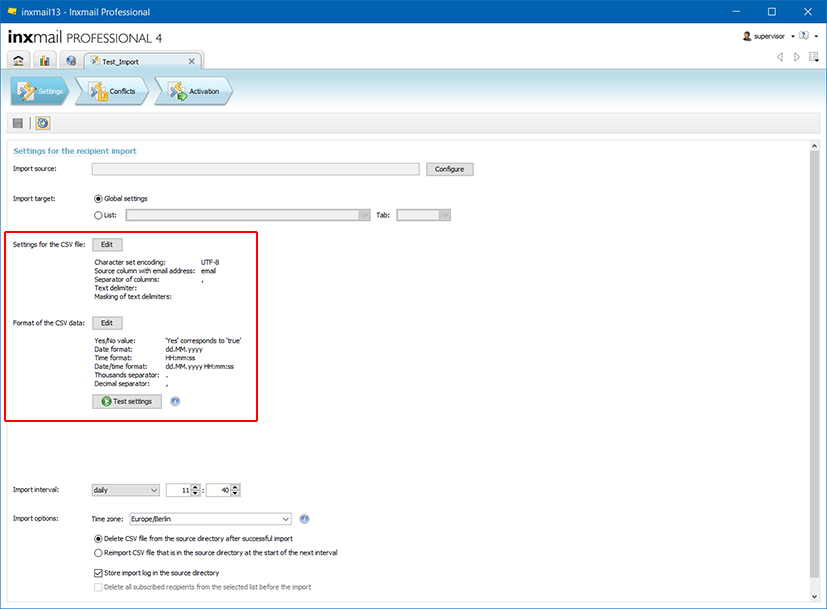
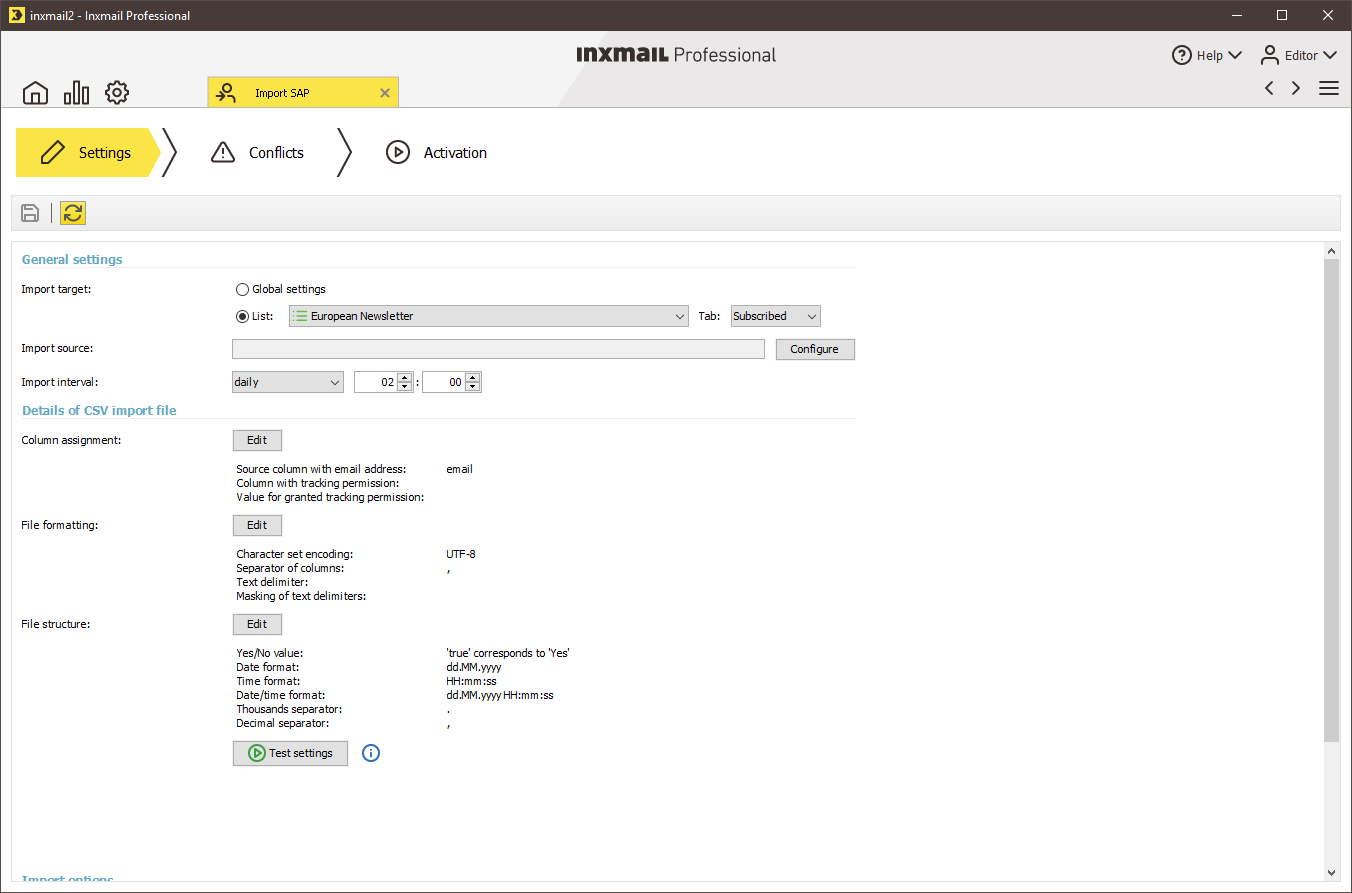
 Settings workflow step: Import tracking permission in the new Column assignment dialog.
Starting from Inxmail Professional 4.7, you can import the tracking permission through import automation. To do so, tick the new Column assignment dialog.
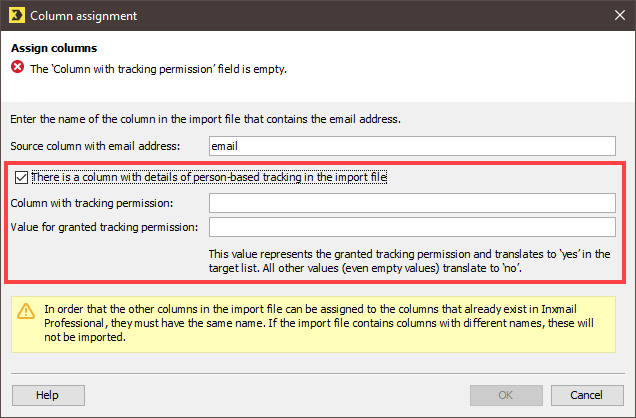
In Inxmail Professional 4.7, import automation behaves differently depending on the import target:
- Import target
 (Standard) mailing list, Subscribed tab: Users can tick the Column assignment dialog to enable it. Tracking permission can be imported.
 -
Import target
(Standard) mailing list, Unsubscribed tab: The Column assignment dialog cannot be ticked and thereby enabled. The corresponding part of the dialog appears greyed out. Tracking permission cannot be imported.Background: Recipients who unsubscribe from a newsletter revoke their consent to person-based tracking when doing so. For this reason, Inxmail Professional sets the value in the Tracking permission column to
 No for all unsubscribed recipients. If these recipients re-subscribe, tracking permission must be obtained from them again.
-
Import target
Global settings: The Column assignment dialog cannot be ticked and thereby enabled. The corresponding part of the dialog appears greyed out. Tracking permission cannot be imported.Background: In Inxmail Professional, the recipient’s consent to person-based tracking is recorded in a list-specific manner. No cross-list value can be defined for the Tracking permission column in the global recipient table.
-
 Conflicts workflow step: Separate conflict handling for the values in the Tracking permission column.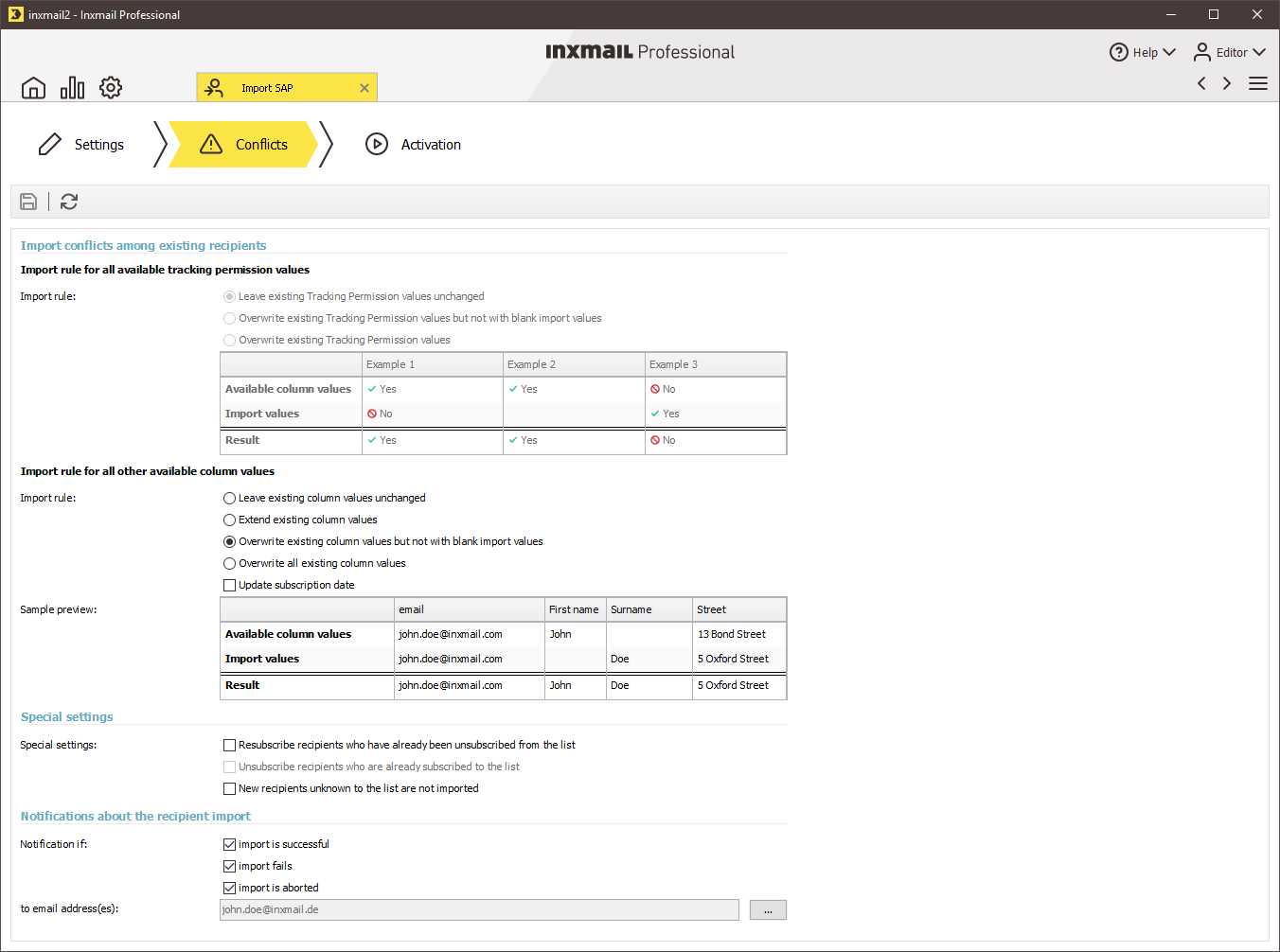
Critical scenarios: Situation
GDPR An import is in progress, in which values for the Tracking permission column are being imported. While this import is running, the Include consent for person-based tracking system or list property is changed.
Behaviour of the system
The system continues to import all data correctly. A change to the system or list property for person-based tracking has no effect on imports that are running.
This means that you have the option to start by gathering data through the automatic import before you enable the Include consent for person-based tracking property.
Related topics
Inxmail Professional:
2 possible use cases
Depending on your contract, you might use Inxmail Professional in different ways:
 Learn more
-
As part of the Inxmail platform: You use newsletters & campaigns as your main tool for creating and sending newsletters. Inxmail Professional only serves as a recipient database and configuration tool in the background.
We are constantly expanding the functionality of “Newsletters & Campaigns”. Check out newsletters & campaigns section to find out if the feature you are looking for might already be available there.
-
Full scope: You use the legacy tool Inxmail Professional as your main tool for creating and sending newsletters.
Did you not find what you were looking for?
-
Send us your feedback.
