Magento customer data is transferred to Inxmail Professional mailing lists. For this purpose, there must be a ‘Basis mailing list’ in Inxmail Professional for every active Magento scope. You can use existing mailing lists or manually create new ones.
Step by step
To create a new mailing list, proceed as follows:
-
Click the
 New list button on the
  (Cockpit) main tab,
  Quick start entry.
or
On the
(Cockpit) main tab,  List overview entry, click the
  (Create new list) button.
A dialog box appears.
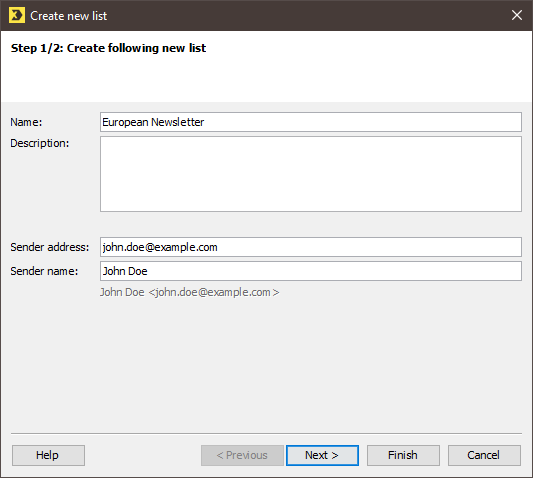
 Field descriptions (‘Create new list’ dialog box)
Name
Description
Name
Enter a name for the mailing list.
Names for various recipient groups, countries or product lines, among others, could be used as the name.
Description
Here, you can enter an internal description for the mailing list. This could include additional information such as detailed information about the recipients or the newsletter campaigns that are usually implemented via this mailing list.
Sender address
Enter the email address that is to be used by default as the sender address for mailings that are sent from this mailing list.
The email address defined here is stored in the advanced properties of the mailing list.
You can change the sender address in the mailing editor for each individual mailing dispatch.
Sender name
Enter the sender name here.
- Specify your settings in the fields.
-
Click Next.
A dialog box appears.
-
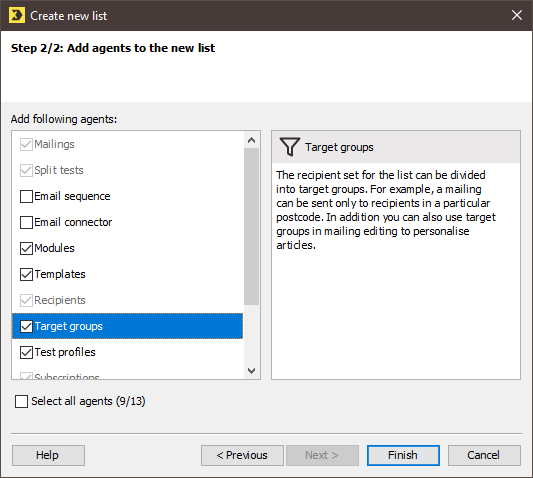
In the dialog box, enable the agents that you wish to add to the mailing list.
Description of the agents
- A description of the individual agents can be found on the right-hand side of the dialog box. To see the description, click the name of the agent on the left-hand side of the dialog box.
- When a mailing list is created, the
 Mailings,
  Split tests,
  Recipients,
  Subscriptions and
  Properties agents are always present by default. For this reason, these agents cannot be activated or deactivated in the dialog box.
 - You can then add further agents to the mailing list (Adding/deleting additional agents to/from mailing lists).
-
Click Finish.
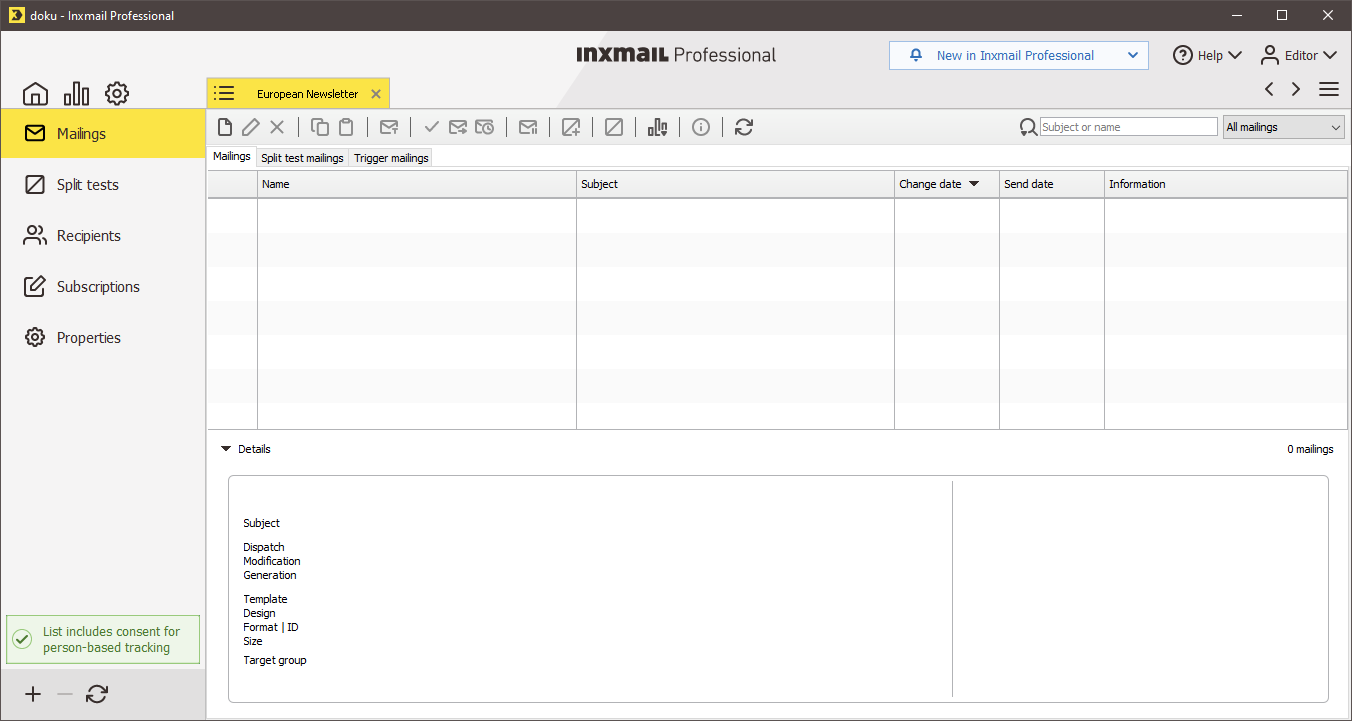
- The newly created mailing list is opened on a tab. It is also added to the list overview.
Additional information
Further mailing lists are used in addition to the ‘Basis mailing list’. Unlike the ‘Basis mailing lists’, these are automatically created by Magento in Inxmail Professional. These mailing lists are linked to customer groups (Magento CE and EE) or segments (Magento EE).
Related topics
Release
This document relates to the following releases/versions:
-
Current version of Inxmail Professional (ASP)
-
Magento 2.4.6-p3
-
Integration version: 1.3.0
-
PHP version 8.1
Did you not find what you were looking for?
-
Send us your feedback.

