Magento customer groups
After you have created a customer group in Magento, it appears under Inxmail > Configuration > Mapping in the Mapping Customer Group area:
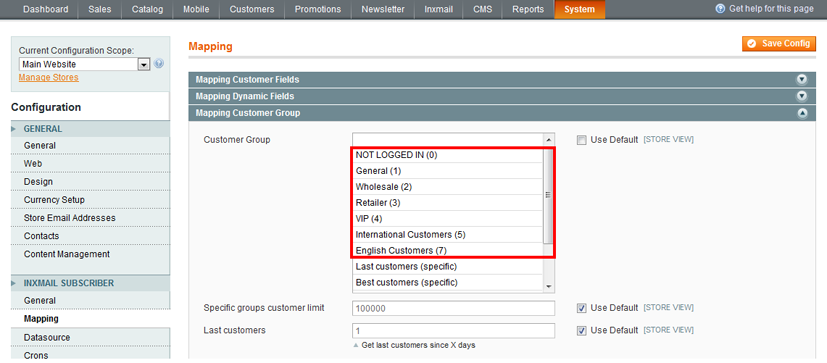
The Magento customer groups and the Inxmail Professional-specific customer groups appear in the Customer group drop-down list. The number in brackets following the name of the customer group indicates the Magento customer groups. For example, International Customers (5).
The word ‘(specific)’ following the name of the customer group indicates the Inxmail Professional-specific customer groups. For example, Best customers (specific).

