In the first login dialog box in Inxmail Professional, you have the possibility to save a maintenance log. You will normally be asked by Inxmail GmbH support to save the maintenance log if you detect connection problems with the Inxmail Professional Server.
The Create detailed report of current session in maintenance log check box allows you to specify whether a simple or detailed maintenance log should be generated and saved. The information contained in the detailed version goes beyond that of the simple maintenance log.
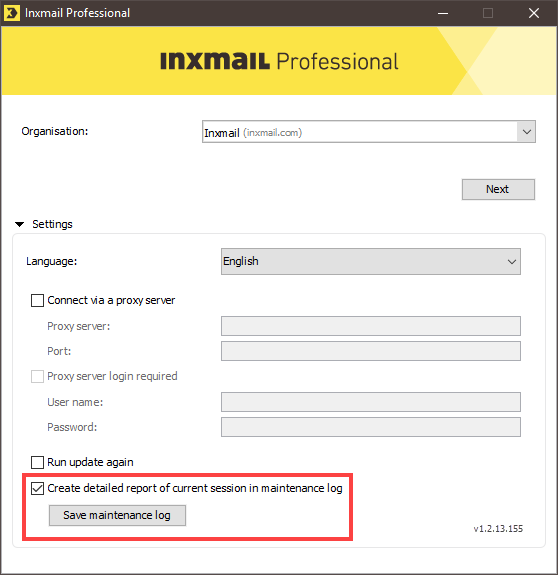
Note: The Create detailed report of current session in maintenance log check box only remains activated for the current session. If you exit and then restart Inxmail Professional, you will find that the Create detailed report of current session in maintenance log check box is deactivated.
Additional information
After (successfully) logging in to Inxmail Professional, you can also use the User menu to create and save a maintenance log.
Detailed information can be found in the section Saving a maintenance log.
Inxmail Professional:
2 possible use cases
Depending on your contract, you might use Inxmail Professional in different ways:
 Learn more
-
As part of the Inxmail platform: You use newsletters & campaigns as your main tool for creating and sending newsletters. Inxmail Professional only serves as a recipient database and configuration tool in the background.
We are constantly expanding the functionality of “Newsletters & Campaigns”. Check out newsletters & campaigns section to find out if the feature you are looking for might already be available there.
-
Full scope: You use the legacy tool Inxmail Professional as your main tool for creating and sending newsletters.
Did you not find what you were looking for?
-
Send us your feedback.
