External content that is available in HTML format on a Web server can normally be integrated one-to-one into your mailing.
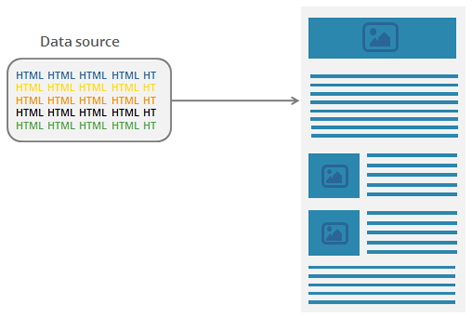
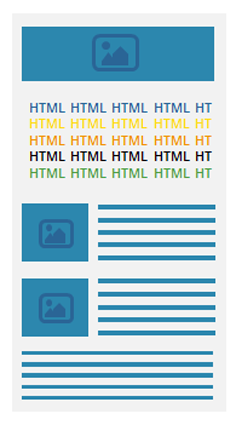
The HTML file will be inserted into the mailing and processed by the system just the way it is in the data source.
Important: You should make sure that you use email-optimized HTML. Inxmail Professional does not optimize your HTML and does not adapt it to the email format, but outputs the unmodified HTML. If you use unoptimized HTML, it will affect the appearance of your entire mailing in different email clients.
Note that the data source is only an HTML snippet. The <head> and <body> part of the HTML is already generated by the Inxmail template. This means: You must never use a <body> tag under any circumstances; a closing body tag would close the entire mailing body and cut off subsequent content.
You can also integrate parts of HTML pages into your mailing. This could be, for example, weather forecast information that appears on your website.
You can use Example 1 – Integrating HTML content as a guide for implementation.
Inxmail Professional:
2 possible use cases
Depending on your contract, you might use Inxmail Professional in different ways:
 Learn more
-
As part of the Inxmail platform: You use newsletters & campaigns as your main tool for creating and sending newsletters. Inxmail Professional only serves as a recipient database and configuration tool in the background.
We are constantly expanding the functionality of “Newsletters & Campaigns”. Check out newsletters & campaigns section to find out if the feature you are looking for might already be available there.
-
Full scope: You use the legacy tool Inxmail Professional as your main tool for creating and sending newsletters.
Did you not find what you were looking for?
-
Send us your feedback.
