|
Details for the example |
|
|---|---|
|
Data source |
HTML file |
|
Transformation |
No |
|
Personalisation/ |
No |
|
Agent |
|
|
Time of the update |
Sending time |

HTML file
<table style="background-color:#FFFFFF;width:600px;" width="600" cellspacing="0" cellpadding="0" border="0" bgcolor="#FFFFFF">
<tbody>
<tr>
<td style="width:600px;" width="600" valign="top" align="left">
<span style="font-family: Arial, sans-serif; font-size:12px; color: #000000;">
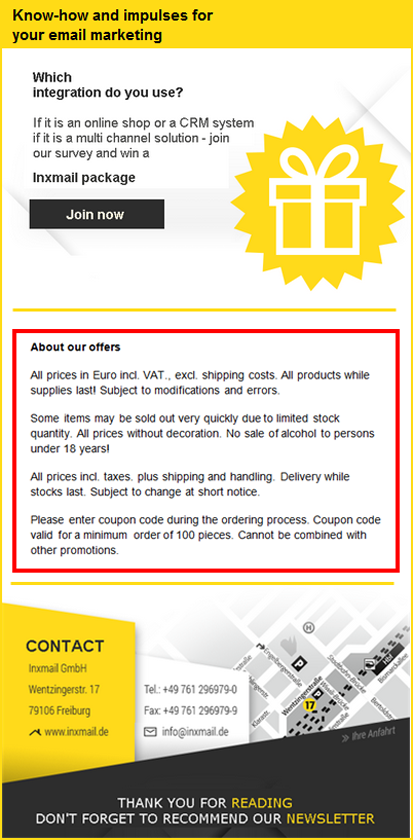
<b>About our offers</b>
<br/>
All prices in Euro incl. VAT., excl. shipping costs. All products while supplies last! Subject to modifications and errors.<br/>
Some items may be sold out very quickly due to limited stock quantity. All prices without decoration. No sale of alcohol to persons under 18 years!<br/>
All prices incl. taxes. plus shipping and handling. Delivery while stocks last. Subject to change at short notice.<br/>
Please enter coupon code during the ordering process. Coupon code valid for a minimum order of 100 pieces. Cannot be combined with other promotions.
</span>
</td>
</tr>
</tbody>
</table>Display in the mailing
Inxmail Professional:
2 possible use cases
Depending on your contract, you might use Inxmail Professional in different ways:
 Learn more
-
As part of the Inxmail platform: You use newsletters & campaigns as your main tool for creating and sending newsletters. Inxmail Professional only serves as a recipient database and configuration tool in the background.
We are constantly expanding the functionality of “Newsletters & Campaigns”. Check out newsletters & campaigns section to find out if the feature you are looking for might already be available there.
-
Full scope: You use the legacy tool Inxmail Professional as your main tool for creating and sending newsletters.
Did you not find what you were looking for?
-
Send us your feedback.
